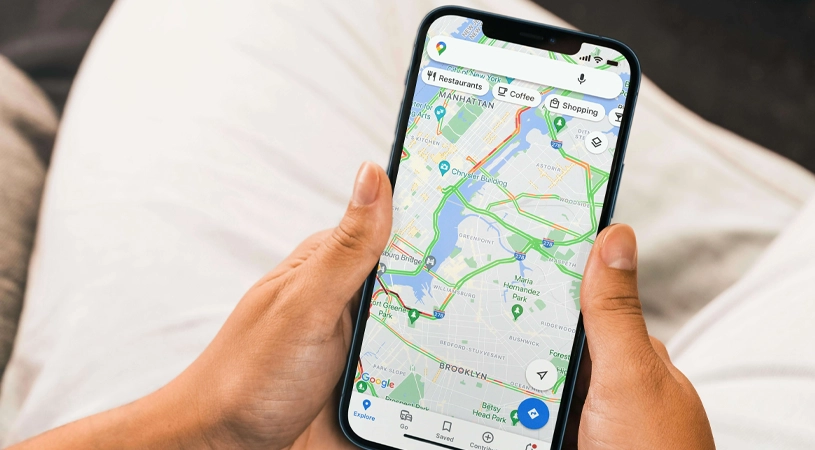
Picture this: it's a Tuesday evening, and someone's pipes just burst. They grab their phone, type "emergency plumber near me," and call the first business that shows up. That business gets the job. The ones buried on page two don't even get a chance.
When we see this for local businesses, it is considered the fuel of their business. That's the reality of mobile search today, and if your local business isn't optimized for it, you're losing customers to competitors every single day. It is a real game-changer for small business owners that enables people to make real-time decisions.
In this guide, we will explore the role of mobile search in local business growth, backed by real data, practical tips, and actionable steps you can implement today.
What is Mobile Local Search?
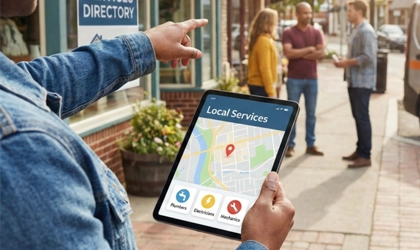
When speaking about mobile local search, it is entirely different from searching on a desktop. Mobile local search refers to queries made on smartphones or tablets with local intent. It means the user is looking for a product, service, or place nearby, usually right now.
Why is Mobile Search Increasing?
- As a convenient option, it is always in our hands.
- Finding more accurate results that are near the user.
- Mobile searches find results immediately.
When a searcher types in for services, your business gets little or no traffic, which means there are other more options visible to them. This is the point where you need mobile marketing for local businesses to enhance the visibility of your business in local search.
According to Google, over 60% of all searches now come from mobile devices. And when it comes to local intent, the numbers are even more striking:
- 76% of people who search for something nearby on their smartphone visit a business within a day (Google, Think With Google)
- 28% of those searches result in a purchase (Google)
- "Near me" searches have grown by over 500% in the past few years (BrightLocal Local Consumer Review Survey)
These aren't just statistics. They represent real customers in your area, actively looking for what you offer, right now.
Mobile Search vs. Desktop Search
| Factor | Mobile Search | Desktop Search |
| Intent | Immediate, action-based | Research-based |
| Location | Highly location-dependent | Less location-specific |
| Result Type | Local pack, maps, calls | Organic listings |
| Speed Expectation | Under 3 seconds | Up to 5 seconds |
| Conversion Rate | Higher for local | Lower for local |
Understanding this difference is the first step to crafting a mobile strategy that actually drives foot traffic and phone calls.
How Mobile Search Affects Local SEO?
Google's algorithm treats mobile users differently from desktop users for good reason. A mobile user searching "pizza near me" at 7 pm is ready to order. A desktop user might just be browsing.
Here's how mobile search directly impacts your local SEO:
1. Mobile-First Indexing
Since 2019, Google has used mobile-first indexing for all websites. This means Google crawls and ranks your site based on its mobile version, not the desktop version. If your mobile site is slow, broken, or hard to navigate, your rankings will suffer even if your desktop site looks perfect.
2. The Local Pack
When someone searches for a local service on mobile, Google shows a "Local Pack" of three business listings that appear at the top with a map. Studies by BrightLocal show that the Local Pack captures 44% of all clicks on local search results pages.
To appear in the Local Pack, Google evaluates three factors:
- Proximity — How close is your business to the searcher?
- Relevance — Does your listing match what they searched for?
- Prominence — How well-known and trusted is your business online?
3. Voice Search
With the rise of Siri, Google Assistant, and Alexa, voice search is becoming a significant part of mobile local search. Voice queries tend to be longer and more conversational: "What's the best Italian restaurant open near me right now?" which means your content needs to answer natural language questions, not just match keywords.
Critical Mobile Search Ranking Factors
To rank well in mobile local search, your business needs to perform well across several key areas:
Page Speed
Google's Core Web Vitals now directly influence rankings. Your site should load in under 3 seconds on mobile. You can test your current speed at Google PageSpeed Insights.
Common speed killers:
- Uncompressed images
- Too many third-party scripts
- No browser caching
- Unminified CSS and JavaScript
Google Business Profile (GBP)
Your Google Business Profile is arguably your most powerful local SEO asset. A fully optimized GBP can help you appear in the Local Pack without even needing a high-authority website.
Make sure your GBP includes:
- Accurate business name, address, and phone number (NAP)
- Correct business category
- Updated business hours (including holidays)
- High-quality photos (businesses with photos get 42% more direction requests — Google)
- Regular posts and responses to reviews
Online Reviews
93% of consumers say online reviews impact their purchasing decisions (BrightLocal, 2025). On mobile, reviews are front and center. A business with 4.5 stars and 200 reviews will almost always win clicks over one with 3.8 stars and 10 reviews.
NAP Consistency
Your Name, Address, and Phone number must be identical across every platform on your website, Google Business Profile, Yelp, Facebook, and any directory listings. Even small inconsistencies (like "St." vs "Street") can confuse Google and hurt your local rankings.
Here, mobile search ranking factors hit harder to win local games:
- Mobile users want instant results. If your site speed fails to give results in three seconds, it will make them look for another option in search results.
- Give them a great experience. Is your text readable for searchers? Are they convenient enough to explore your website?
- Google Business Profile is an important landmark of mobile SEO. Keep it updated; it ensures the reliability of your business.
- Does your website have a good user interface? Call us now.
How to Create a Mobile-Friendly Local Business Website?
You don't need to rebuild your entire website. Focus on these high-impact areas:
Responsive Design
Your website must adapt to any screen size automatically. Most modern website builders (WordPress, Wix, Squarespace) include responsive templates. Test yours at Google's Mobile-Friendly Test.
Clickable Phone Numbers
On mobile, your phone number should be a tap-to-call link:
html
(555) 123-4567
This single change can dramatically increase the number of calls you receive from mobile visitors.
Easy Navigation
Mobile users won't scroll through a complicated menu. Keep your navigation simple:
- Home
- Services
- About
- Contact / Call Now
Local Content
Include local signals throughout your website:
- Mention the neighborhoods and cities you serve
- Reference local landmarks
- Embed a Google Map on your contact page
- Create location-specific service pages (e.g., "HVAC Services in The Woodlands, TX")
In local business, it is super important to facilitate the searchers in their environment. It does not need a heavy investment. Just make sure to make it a mobile-friendly local business website. Go for the following:
- Design it in such a way that it fits on the screen of any mobile user. Ensure its adaptiveness.
- Make its navigation easy and clear to maintain a structured layout.
- Cite local content, including nearby landmarks, neighborhoods, and the local areas you serve.
As your local business's mobile optimization improves, Google determines it as an accurate option, enhancing your visibility in the search engine.
Mobile SEO Tips for Local Business Owners
There is no need for technical expertise to win the local business game.
1. Optimize for "Near Me" Searches
Include phrases like "in [City]" and "near [Neighborhood]" naturally throughout your website content, page titles, and meta descriptions. Don't stuff them; use them where they make sense.
2. Use Schema Markup
Add LocalBusiness schema to your website. This structured data helps Google understand your business details and can improve how your listing appears in search results. Key fields include:
- Business name
- Address
- Phone number
- Opening hours
- Service area
3. Build Local Citations
Get listed on relevant local directories:
- Google Business Profile
- Yelp
- Facebook Business
- Apple Maps
- Bing Places
- Industry-specific directories
Each listing is a citation that reinforces your business's legitimacy to Google.
4. Encourage and Respond to Reviews
After completing a job, follow up with customers via text or email and ask them to leave a Google review. Make it easy by sending a direct link to your GBP review page. Always respond to every review, positive and negative.
5. Compress Your Images
Large images are the #1 cause of slow mobile sites. Use tools like TinyPNG or Squoosh to compress images before uploading. Aim for under 100KB per image where possible.
6. Add FAQ Content
Mobile users often search in question format. Adding an FAQ section to your service pages (and marking it up with FAQPage schema) can help you appear in Google's featured snippets, and People Also Ask boxes prime real estate on mobile search results.
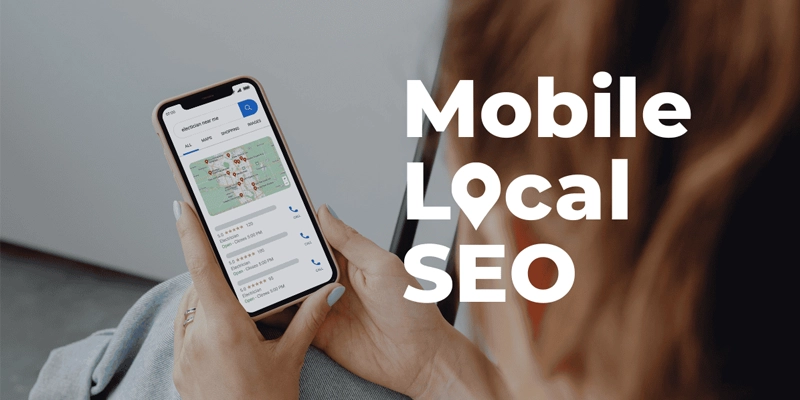
Just focus on some important factors that affect your mobile SEO. Let’s map out some of them:
- Claim your listing: Your name, address, and phone number (NAP) must be the same and available on all platforms, including Yelp, Google, and Facebook.
- Focus on keywords: The right keywords are the soul of your business. Focus on relevant phrases throughout the text, like [best remodelers in your city].
- Optimize your images: Keep the size of images appropriate so that the speed of your website remains unaffected.
- Get reviews: Make sure to engage with your customers and encourage them to give positive reviews.
How to Get Customers From Mobile Search?
Let me share a real-world scenario that illustrates the power of mobile optimization.
A local moving company in Delaware was getting decent website traffic but very few calls. After auditing their mobile experience, we found:
- The site took 8 seconds to load on mobile
- The phone number wasn't clickable
- They had no Google Business Profile photos
- Their GBP hadn't been updated in two years
After fixing these issues:
- Page load time dropped to 2.4 seconds
- Phone calls increased by 67% in 60 days
- They appeared in the Local Pack for 12 new keywords
- Monthly revenue increased by approximately $14,000
The changes cost them less than $500 to implement. The ROI was immediate.
Measuring Your Mobile Search Performance
You can't improve what you don't measure. Here's how to track your mobile local SEO performance:
Google Search Console
- Go to Performance → Search Results
- Filter by Device: Mobile
- Check which queries bring mobile traffic and what your average position is
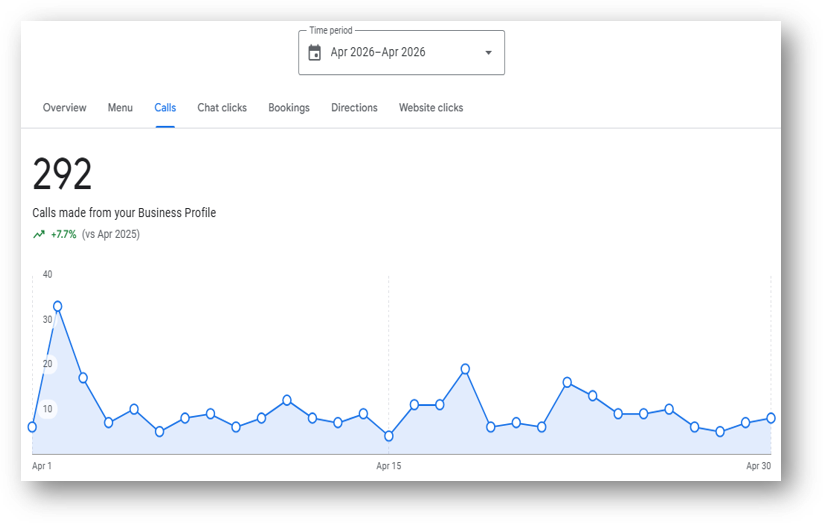
Google Business Profile Insights
Your GBP dashboard shows:
- How many people found you via mobile search
- How many clicked to call
- How many requested directions
Google Analytics 4
Under Reports → User → Tech → Platform/Device Category, you can see what percentage of your traffic is mobile and how those users behave on your site.
Common Mobile SEO Mistakes to Avoid
Even well-intentioned businesses make these errors:
- Blocking CSS or JavaScript in robots.txt — this prevents Google from rendering your mobile site properly
- Using intrusive pop-ups — Google penalizes sites with pop-ups that cover content on mobile
- Separate mobile URLs (m.yoursite.com) — these are harder to manage and can cause duplicate content issues; use responsive design instead
- Ignoring Core Web Vitals — LCP, FID, and CLS scores directly impact your mobile rankings
- Not testing on real devices — always test your site on an actual iPhone and Android device, not just a browser simulator.
Where Should You Start: Your 30-Day Mobile SEO Action Plan
If you're feeling overwhelmed, start here:
Week 1 — Audit
- Test your site speed at PageSpeed Insights
- Run Google's Mobile-Friendly Test
- Check your GBP is filled out
Week 2 — Fix
- Compress all images on your website
- Make your phone number tap-to-call
- Fix any mobile usability errors in Google Search Console
Week 3 — Optimize
- Add LocalBusiness schema markup
- Create or update location-specific service pages
- Add an FAQ section to your top service pages
Week 4 — Build
- Get listed on 5 new local directories
- Ask your last 10 customers for a Google review
- Post an update on your Google Business Profile
The role of mobile search in local business growth is becoming more efficient over time. You find it difficult and confusing at the start, but step by step you can make it perform well. Focus on boosting traffic, visibility, and sales; they are your ultimate concern. Check the performance of your website on your phone first and notice all the factors that may affect your business:
- Is it responding within three seconds?
- Does your business appear on Google Maps when tapping the call button?
- Is the size of the image impacting the site speed?
If you see any problem, it's time to ensure its effectiveness. Make your mobile search for local businesses simpler to get valuable leads.
Summary
In the digital era, everyone is on their phone. With the passage of time, the role of mobile search in local business growth is increasing with more competitiveness. Today, a mobile-friendly website is not just an option; it is necessary for a successful business. To convert every visitor into a customer, focus on what they want: a fast response, simple content, and an updated profile. Make a stress-free experience for every searcher.
Was this article helpful? Share it with a fellow business owner who could use a boost!
Have questions about your specific business? Contact our team — we're happy to help.
Recent Posts
-
 Why Supporting Local Businesses Matters More Than Ever
03 Apr 2026
Why Supporting Local Businesses Matters More Than Ever
03 Apr 2026
-
 Top Mistakes to Avoid When Hiring Local Services
03 Apr 2026
Top Mistakes to Avoid When Hiring Local Services
03 Apr 2026
-
 Why Your Business Needs to Be on a Local Directory
01 Apr 2026
Why Your Business Needs to Be on a Local Directory
01 Apr 2026
-
 What are Local Business Listings?
16 Jan 2025
What are Local Business Listings?
16 Jan 2025
-
 What is the Difference Between Local and Organic SEO?
16 Jan 2025
What is the Difference Between Local and Organic SEO?
16 Jan 2025
-
 Why Local SEO is Important?
15 Oct 2024
Why Local SEO is Important?
15 Oct 2024